

Squarespace to WordPress migration.
Our Squarespace to WordPress migration converts your whole site, page by page, from your live pages, so nothing gets left behind.
- Veteran-owned U.S. team
- Five stars on Google
Featured on





Can you transfer Squarespace to WordPress?
Yes, all of it. Squarespace's own export only carries part of a site, so we rebuild yours from your live pages instead. Check what's on your site to compare.
Squarespace's export moves
Its WordPress export file carries these.
- PagesOn your siteLayout pages are in the export.
- A blogOn your siteOne blog is in the export, with its posts.
2 of 5with the export
5 of 5with our rebuild
Our rebuild also moves
We work from your live site, so these come too.
- PhotosOn your siteThe export can leave them on Squarespace. We copy each one.
- A storeOn your siteNot in the export. We rebuild your products in WooCommerce.
- VideoNot in the export. We add your videos back to your pages.
- Your designOn your siteNot in the export. We rebuild your styles and custom CSS.
Your photos, kept safe.
Brought in through Squarespace's export, your photos can stay stored on Squarespace and stop showing once you cancel. We copy every photo from your live site to your new one.
Old links, new pages.
Squarespace files blog posts under your blog page and products under your store. We map each address to its new page, and copy every redirect saved in your URL mappings.
Using Squarespace extras too?
Some Squarespace tools sit outside your pages. Here's how each one moves.
Acuity Scheduling
Squarespace's booking tool works on almost any site. Keep it on your new site or switch to booking built in.
Member Sites
Paywalled pages don't show on your live site, so we'll ask for a login and rebuild them as a members area.
Form blocks
We rebuild each form, field by field, and send every entry to your inbox or to the email list you use now.
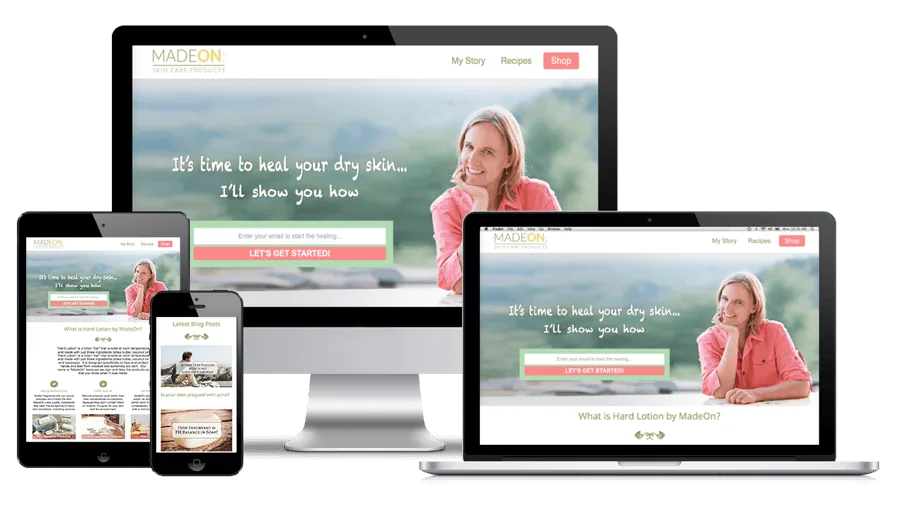
MadeOn Skin Care
A Squarespace site, moved over.
Renee Harris moved her skin care brand from Squarespace to WordPress with Anthony and our team. Every page came across reformatted and search friendly, and each old address led to its new home.
“He's quick to answer my questions, explain functions of WP, keep me up to date on the website progress…”
 Renee HarrisFounder of MadeOn Skin Care
Squarespace move FAQ
Something else on your mind?
Ask us directly.
Ready to leave Squarespace?
Tell us about your site. If we're a good fit, we'll set up a call, then send your proposal.